
Elevating the Modern Guest Experience: How Smart Room Amenities Balance Convenience with Operational Control
Guest expectations now extend beyond clean rooms and reliable Wi-Fi. Travelers increasingly value spaces that respond to their needs through digital access, connected controls, and convenient self-service options. The rise of smart hotel rooms has influenced vacation rentals too, giving independent hosts new ways to offer hotel-style convenience.
The challenge is deciding which features genuinely improve the guest stay and create more work behind the scenes. Effective smart room amenities should be simple for guests, manageable for staff, and reliable enough to support daily operations without constant attention.
Start with the moments that shape a stay
Smart technology works best when it solves a recognizable guest problem. Before adding devices, map the ordinary moments that affect a stay, from arrival through departure. Look for delays, repeated questions, and manual tasks that could be handled more efficiently.
Entry is a clear example. A guest arriving after a delayed flight may not want to coordinate an in-person key exchange. A properly configured access system can provide a time-limited code and remove that point of friction. Inside the property, a digital guide can answer practical questions about Wi-Fi, appliances, parking, and checkout without requiring several printed sheets.
Comfort controls also have a direct effect on the experience. Guests appreciate being able to adjust the temperature or lighting without learning a complicated control panel. Hosts, meanwhile, can set reasonable operating ranges that protect the property from extreme settings.
Start with two or three high-impact moments instead of filling every room with connected products. Review guest messages from the past six months and group common questions by topic. If arrival instructions, climate controls and amenity access account for most of the confusion, those are sensible areas to address first.
This focused method also makes performance easier to measure. You can track fewer support messages, faster check-ins and recurring comments in reviews before deciding where another smart feature belongs.
Make convenience feel effortless
Guests shouldn’t need technical knowledge or a new account for every room feature. The best experience usually involves familiar actions, such as scanning a QR code, entering a short access code, or using a clearly labeled wall control.
Every amenity should come with a simple fallback. A digital room guide might have a printed card containing the Wi-Fi details and support number. Smart lighting should still work from a physical switch. If an app is required, explain that before arrival and provide direct setup instructions. These details help guests who have limited connectivity, accessibility needs, or little interest in connected technology.
Instructions also need testing under real conditions. Ask someone unfamiliar with the property to arrive, connect to Wi-Fi, and operate the main room features without your help. Note where that person pauses or makes an incorrect assumption. A host may understand that a blue light means a lock is active, but a first-time visitor may not.
Clear labels often do more for the guest experience than extra features. Use consistent names in messages, signs, and digital guides. If the arrival email calls a device the “entry keypad,” don’t rename it the “smart access panel” elsewhere.
Convenience comes from fewer decisions and shorter instructions. A guest who can understand a room within several minutes is more likely to enjoy its technology instead of viewing it as another task.
Build operational controls into every amenity
Guest access is only one side of smart room management. Property teams also need visibility into status, usage, and exceptions. A useful platform should show what happened, when it happened, and whether someone needs to respond.
Consider a temperature sensor that reports unusual conditions while a property is vacant. The alert can help a manager investigate before the next check-in. A connected access system can record when an approved code was used, which may help resolve an arrival problem. These records should support service and maintenance without collecting unnecessary information about guests.
Permissions deserve equal attention. Cleaners may need access during a defined turnover window, while maintenance workers may need temporary entry for a scheduled repair. Limit each credential by time and purpose, then remove it automatically when the task ends. That approach is easier to manage than circulating one permanent code among several people.
Connected devices also require basic protection. The Internet of Things cybersecurity guidance published for organizations emphasizes capabilities such as device identification, controlled access and secure software updates. Create an inventory that records each device, its location, its administrator and its update status.
Operational control should stay proportionate. If a feature creates frequent alerts or requires weekly troubleshooting, its value may not justify the workload. Track support time as carefully as guest use.
Add paid amenities without awkward sales pressure
Some room features can create optional revenue while giving guests immediate access to useful products. The key is to make the offer visible, clearly priced, and easy to decline. Guests should understand what is included in the reservation and what requires a separate payment.
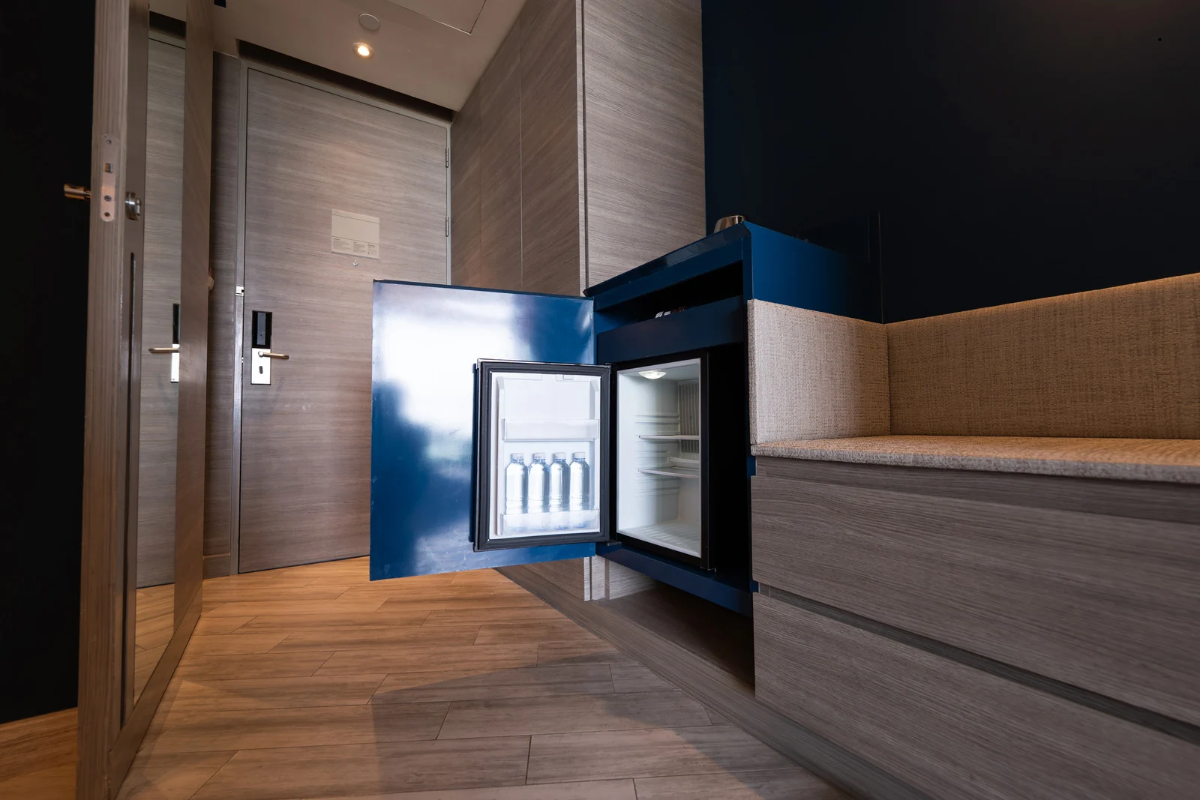
In-room refreshments are a practical example. A vacation rental host considering a smarter minibar can use QR code payment processing, automated lock control, and remote monitoring to provide paid access without handling each transaction manually. The model works best when prices appear before purchase, and the physical setup fits naturally within the room.
Placement matters. An amenity should be easy to find without dominating the space. A short card can explain what’s available, how payment works, and whom to contact if access fails. Avoid repeated messages that make a useful option feel like an aggressive upsell.
Hosts should also plan for refunds, inventory differences, and failed payments. Document who reviews an issue and how quickly the guest receives a response. If a listed product is unavailable, the guest shouldn’t be charged for it or forced to prove the problem through a lengthy exchange.
Use purchase data to improve the offering. If certain items rarely sell, replace them with options guests request in messages or reviews. The aim is a compact, relevant selection that supports convenience while remaining straightforward to restock and manage.
Protect guest privacy and payment data
Smart amenities often generate information, including access records, device status, and transaction details. Collect only what the service needs and tell guests in plain language how that information is used. Hidden monitoring or vague disclosures can damage trust even if the technology itself works correctly.
Start with a data map. List each system, the information it receives, who can view it, and how long records remain available. An access platform may need a guest’s code and valid reservation dates. It probably doesn’t need unrelated profile information. A room sensor may need to report temperature, but its purpose shouldn’t expand without review.
The Federal Trade Commission’s privacy guidance encourages businesses to collect only necessary personal information and protect what they retain. Apply that principle to vendors as well. Ask where data is stored, how administrator accounts are protected, and what happens to records after a contract ends.
Payment systems require their own safeguards. Use established processors so hosts and property staff don’t handle full card details directly. The PCI Security Standards Council provides guidance for businesses that accept card payments, including advice on account security and approved payment tools.
Give each staff member an individual login and turn on multifactor authentication where available. Shared credentials make it harder to identify errors and remove access when someone changes roles. Review permissions on a fixed schedule, such as once per quarter.
Test the full system before expanding
A small pilot reveals issues that product descriptions and setup demonstrations can miss. Choose one property or a limited set of rooms, then run the system through real operational scenarios for 30 to 60 days.
Test more than the ideal guest experience. Check what happens when the internet disconnects, a guest enters the wrong code, or a payment succeeds, but access doesn’t activate. Confirm that staff knows where to see an alert and whom to contact outside regular hours. Recovery instructions should be short enough to use during a busy turnover day.
Set a few measurable goals before the pilot starts. Relevant indicators may include:
- Guest messages related to the amenity
- Average time needed to resolve an access problem
- Staff time spent checking or resetting devices
- Amenity use and revenue per occupied night
- Review comments that mention convenience or confusion
Compare these results with the property’s previous routine. A device that saves guests one step but adds 20 minutes to every turnover may need different settings or may not suit that property. On the other hand, a feature that reduces repetitive messages can remain valuable even if guests rarely mention it in reviews.
Smart room amenities earn their place when they continue working on an ordinary Friday night, during a full booking schedule, and after an internet interruption. A controlled pilot gives you the evidence needed to refine the setup before introducing it across more properties.
The most useful final check is simple: a first-time guest should be able to use the room without a tutorial, while the property team can see and resolve exceptions from one clear process. When both sides pass that test, smart convenience becomes part of dependable hospitality.